


Goumikids Wholesale Faire: Best Route in 2026

To place Goumikids wholesale orders through Faire in 2026, verify your retailer account, confirm the current storefront, build a focused opening assortment, and save a repeatable reorder process. Instead of copying consumer product details into a manual purchase order, use Faire for the order record and the Goumikids baby essentials catalog for product education.
- The Goumikids wholesale Faire workflow is best for verified baby boutiques ordering through one retailer account in 2026.
- Confirm the current Faire storefront and account terms before planning your opening assortment.
- Start with two or three categories instead of spreading units across the full catalog.
- Verify each item's closure, fabric, fit, size range, pack details, and care instructions.
- Review sales every 30 days and rebuild reorders from the current wholesale catalog.
Why this matters
A wholesale order has to work after the box arrives. Your team needs to understand the product, explain its function, display it clearly, and know when to reorder it.
Goumikids baby apparel is best for boutiques serving parents who want practical newborn clothing, giftable essentials, and dedicated preemie options. The advantage is a product story built around everyday problems such as missing mitts and complicated changes. The trade-off is that features vary by item, so broad claims about every style create bad staff training and inaccurate product copy.
In 2026, treat Faire as the source for your transaction details and each exact product listing as the source for item-level facts. A retail page can help your team understand the product, but it should not replace the wholesale listing attached to your order.
Before you start
- Retailer access: You need a Faire retailer account with permission to review the account, build carts, and submit orders. Keep the business details, shipping destination, payment settings, and any requested resale documentation ready.
- A simple assortment sheet: Create columns for category, style, color, size, closure, fabric, pack details, intended display, and reorder owner. Complete the sheet from the exact listings you plan to order.
- The gotcha: Do not assume a consumer-facing page and a Faire listing contain identical options or terms. In 2026, confirm the item inside Faire before adding it to your purchase plan, then resolve any conflicting product facts before checkout.
Set aside a 20-minute account audit before choosing products. That short gate prevents an incomplete business profile, an old shipping address, or missing purchasing permission from stopping the order at the final step.
Configure your retailer account
- Open Faire and select Log In. If the boutique does not have an account, use Sign Up and complete the retailer registration first.
- Open Account Settings and confirm the legal business information attached to the account.
- Check the saved shipping destination and payment settings. Use the location that will receive and count the order.
- Confirm that the person building the cart can also submit it. If purchasing approval belongs to someone else, assign that review before product selection begins.
- Open the marketplace Search field to confirm that retailer shopping tools are active.
Expected result: the account can search brands, open product listings, build a cart, and access the checkout flow without requesting missing business information.
Keep the account owner and assortment buyer separate on your internal checklist when those jobs belong to different people. One person should own account access; one person should own item selection. Both names belong on the order record.
Confirm the Goumikids storefront
- Enter Goumikids in Faire's Search field.
- Open the matching brand storefront and confirm that the categories align with the brand's stated range: stay-on mitts and boots, convertible gowns, footies, rompers, layette gift sets, and preemie essentials.
- Select Follow if that control appears in your retailer account. Following keeps the brand attached to your marketplace workflow without relying on a saved browser tab.
- Review every commercial term shown in your account before assortment planning. Record the terms in your purchasing system rather than passing them through chat or email.
- Open one representative product listing and confirm that your account can view its item details and add it to Cart.
Expected result: you have confirmed the correct storefront, recorded the account-specific terms, and tested the full path from search to cart.
If search returns several similar names, do not select a storefront from the name alone. Match the product categories to the range described above. A wrong storefront at this stage creates inaccurate assortment planning later.
Build the opening assortment
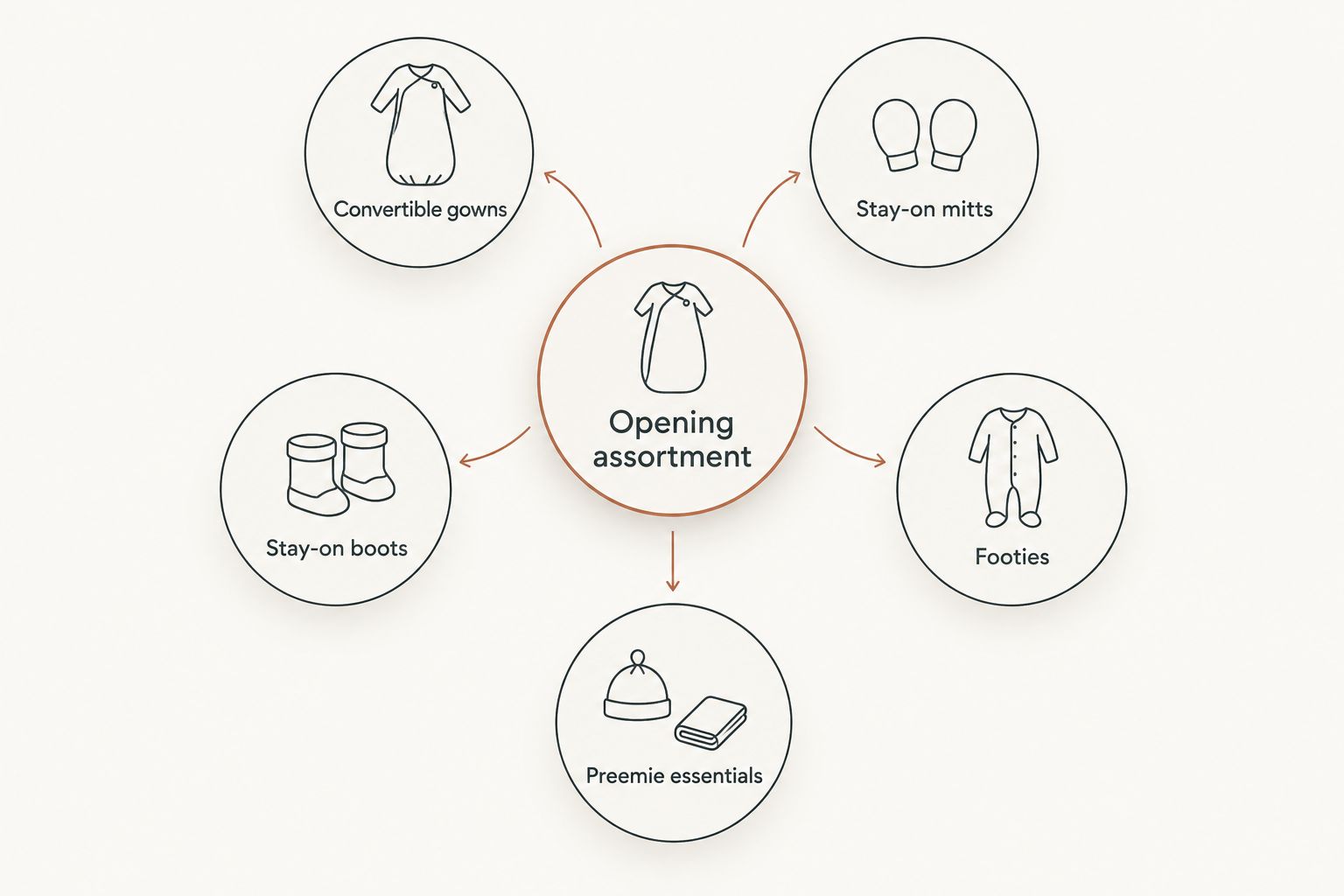
Start with a two-category or three-category opening plan for 2026. A narrow assortment gives each category enough space to read clearly, while a scattered assortment can leave staff explaining unrelated items without a useful display story.
Use this comparison to choose the first categories:
| Opening category | Best for | Clear customer conversation | Limitation to plan for |
|---|---|---|---|
| Storm Gray convertible gown | Newborn apparel and practical gifts | The convertible design supports easier dressing and changes | Confirm the exact closure, fabric, and size details for this style |
| Stay-on mitts | Small newborn essentials and add-on displays | The closure addresses mitts slipping off | Small pieces need clear labeling and organized presentation |
| Boulder Birch stay-on boots | Footwear add-ons and layette pairings | The stay-on function addresses missing booties | Pack details and sizing must match the wholesale listing |
| Footies | Everyday infant clothing | Adaptable details give staff a practical product story | Fit, closure, and fabric vary by exact style |
| Preemie essentials | Boutiques serving caregivers shopping for the smallest babies | Thoughtful fit creates a specific reason to carry the category | Staff must avoid turning a product feature into a medical promise |
Choose categories by customer need, not by how many products fit on a purchase order. A hospital-adjacent shop can prioritize preemie essentials, while a gift-led boutique can build around convertible gowns, mitts, and boots. These are merchandising choices, not claims about category sales.
Now build the cart:
- Select two or three categories that fit your actual customer base.
- Assign one parenting moment to each category, such as a missing mitt, a nighttime diaper check, or getting a small baby dressed carefully.
- Choose a restrained color story that can sit together on one fixture or gift table.
- Open every listing and record the exact style name, color, size range, fabric, closure, pack details, and care information.
- Base quantities on your own sales history, floor space, and purchasing limits. Do not copy another boutique's opening order.
- Open Cart and compare every line against the assortment sheet.
Expected result: each cart line has a defined customer, display location, staff explanation, and reorder owner.
Review and place the order
- Open Cart and remove any item that lacks a clear place in the assortment plan.
- Compare style names, colors, sizes, pack details, and quantities against your sheet one final time.
- Select Checkout and confirm the receiving address and account-specific commercial terms shown on the screen.
- Add the internal purchase order reference your receiving team will recognize, when the field is available.
- Select Place Order only after the buyer and account owner complete their checks.
- Save the confirmation with the assortment sheet and receiving instructions.
Expected result: the order appears under Orders, and your receiving team has one record containing the ordered items, internal owner, and planned display location.
Do not let the confirmation live only in one buyer's inbox. Store it where the receiving employee can compare delivered line items against the order without asking who selected each style.
Reorder from a completed order
Use a 30-day reorder review instead of checking products whenever someone remembers. This adjacent workflow turns the opening order into a controlled buying cycle for the rest of 2026.
- Open Orders in Faire and select the relevant completed order.
- Review your own units received, units sold, remaining units, customer requests, and display performance by category.
- Select Reorder when the control is present. If it is not shown, return to the current storefront and rebuild the cart from current listings.
- Remove lines that do not meet your internal reorder rule.
- Recheck every retained item's current listing details instead of copying old item data from memory.
- Submit the reorder through the same buyer and account-owner approval path used for the opening order.
Expected result: every reordered line is supported by your boutique's sales record and a current wholesale listing, not by habit.
A reorder is also the right time to change the category mix. If one category needs too much explanation, improve the display or staff script before adding more units. If a product draws repeated questions, capture those questions for training rather than improvising a new claim.
Troubleshooting
The brand does not appear in search
Clear category filters, search the exact brand spelling, and confirm that you are signed into a verified retailer account. If the result still does not appear, use Faire's retailer support inside your account rather than selecting a similarly named storefront.
Wholesale details remain hidden
Return to Account Settings and complete any requested business information. Confirm that the account is registered as a retailer and that the signed-in user has purchasing access.
A retail product does not appear in the wholesale catalog
Do not add it manually to the purchase order or assume its consumer details apply to Faire. Build the order only from the current wholesale storefront, then use retail pages as supporting product education.
The cart rejects a quantity
Read the listing's quantity and pack controls again. Adjust the line to the permitted increment shown on the wholesale listing, then update your assortment sheet so receiving expects the same unit structure.
Product facts conflict between pages
Stop the line before checkout. Keep the Faire listing attached to the transaction, compare it with the exact retail product page, and request clarification through the appropriate account channel before your staff repeats the disputed fact.
A previous item is missing during reorder
Return to the current storefront and select by category, function, fit, and verified item details. Do not substitute a different style based only on a similar color name.
Customize your workflow
Add three short controls after the first order:
- Run a 30-day sales review by category, style, color, and size.
- Run a 60-second staff demonstration for each core category, using one problem, one feature, and one limitation.
- Run a 90-day assortment review to decide which categories deserve more space, less space, or clearer merchandising.
For gown training, use the newborn sleeper gowns guide to compare use cases, closures, fabrics, and fit. Staff should still verify the exact product they are holding before describing it to a customer.
Keep the script plain. A useful version is: this feature addresses this parenting problem, and the exact details are listed on this item. That protects the customer from broad claims and gives new employees a repeatable way to explain unfamiliar products.
FAQ
Can I order Goumikids wholesale through Faire in 2026?
Yes, the 2026 wholesale workflow in this guide uses Faire's retailer marketplace. Confirm the current brand storefront and the terms displayed inside your verified retailer account before ordering.
What account do I need to order through Faire?
You need a Faire retailer account with completed business information and purchasing access. Confirm the shipping and payment settings before building the cart.
What is the best first category for a baby boutique?
Convertible gowns are the strongest starting category for a boutique that needs practical newborn apparel with a clear gifting story. Stay-on mitts and boots are better when the assortment needs smaller add-on items.
Can I use the retail website to build the wholesale order?
Use the retail website for product education, not as the wholesale order record. Build and confirm every order line from the current Faire listing tied to your account.
How often should a boutique review reorders?
Review reorders every 30 days as a starting schedule. Use your own units sold, remaining units, customer requests, and display performance to decide what returns to the cart.
Do all styles use the same fabric and closure?
No, product features vary by style and size. Verify the exact fabric, closure, fit, care instructions, and pack details on every item listing.
How should staff describe the preemie collection?
Lead with thoughtful fit and the collaboration with Penn State Health Milton S. Hershey Medical Center and NICU nurses. Do not turn that collaboration into a broad medical promise.
What should I do when a previous item is not in the current catalog?
Return to the current storefront and choose by category, function, fit, and verified item details. Never substitute from memory or transfer facts from a different style.
One last thing
The most useful 2026 wholesale asset is not a larger opening order. It is a one-page staff sheet that gives every Goumikids category one parenting problem, one verified feature, one honest limitation, and one display location. That sheet makes the assortment easier to explain at 10 a.m., during a gift rush, or while training someone new.